
Evernote Review 2026: Note-Taking App Tested for AI Transcription
When it comes to note-taking, for a long time Evernote has been the first tool that comes to mind. It is a classic note-taking app that performs well for text capture and cross-device syncing.
However, in 2026, many users' needs have gone beyond simple note-taking. People now expect more intelligent and versatile features, such as transcribing video meetings and turning them into structured text.
That's why in this article, I tested Evernote's AI transcription feature to see whether it can meet today's transcription needs, and also recommend the free Evernote alternative for you to choose.
Try the Best Free Evernote Alternative
Quick Overview: Evernote AI Transcription Test
If you don't want to read the full review, here is a brief overview.
✅Best for: Users with light and basic transcription needs
❌Not Ideal for: Heavy transcription work, long videos, or users needing structured outputs
✅Biggest strength: Strong cross-device syncing
❌Biggest weakness: High price and Limited transcription capability
| Pros | Cons |
|---|---|
| ✅Simple and easy-to-use interface ✅ Fast processing speed ✅ Supports videos up to 100MB | ❌Multi-Video Processing Limitations ❌Low Transcript Readability ❌No Support for YouTube Links ❌Limited Export Options ❌Inconsistent Transcription Accuracy |
🎯Verdict: Evernote is still a reliable note-taking tool, but its AI transcription feature feels secondary rather than fully developed. It works for light use, but quickly shows limitations when handling real transcription-heavy and professional workflows.
⭐️Score: 6/10
What is Evernote?
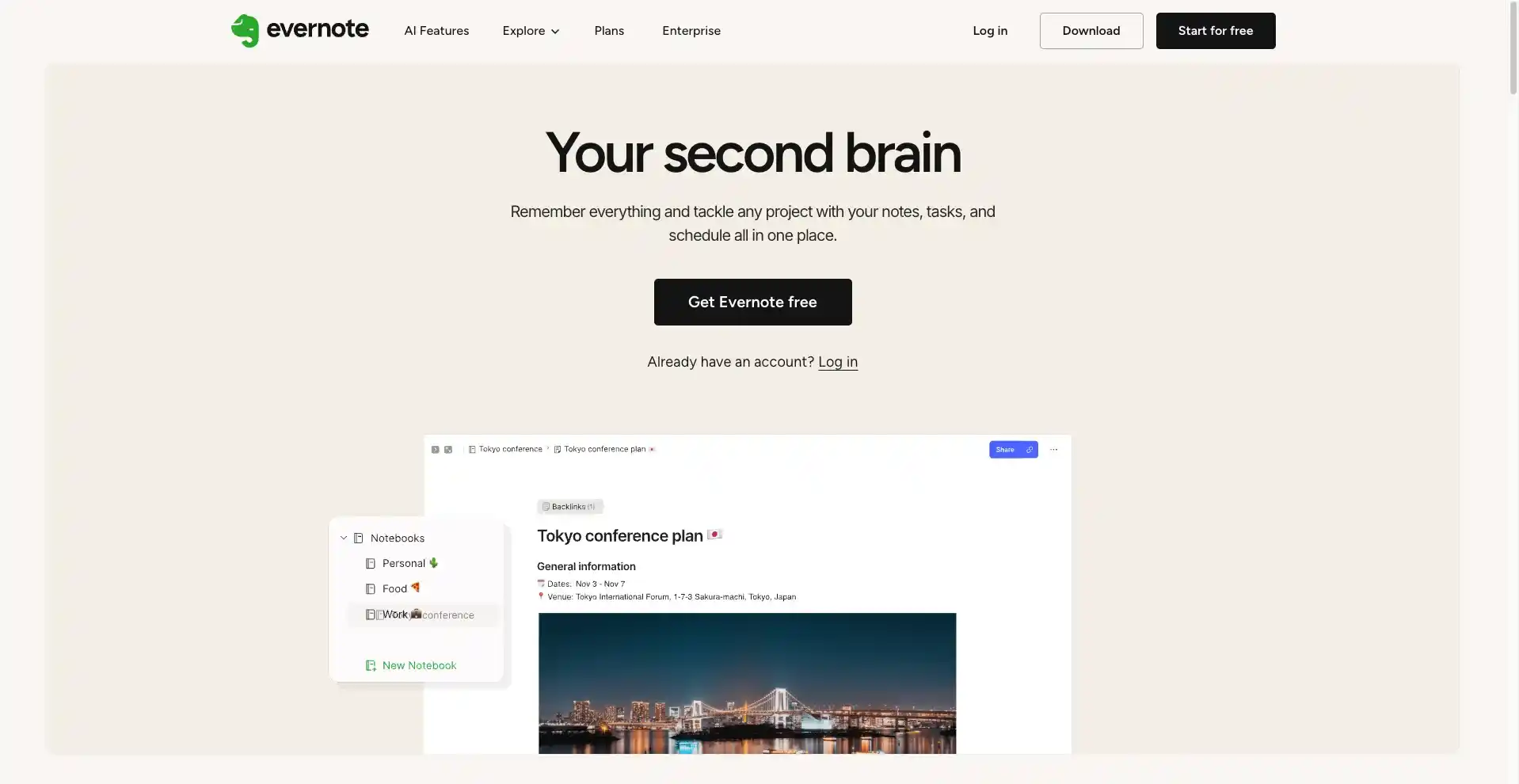
Evernote is a classic note-taking app mainly used to help users record, organize, and manage various types of information. It can be used to store things like daily notes, project planning, and other content in an organized way.
It also supports multi-device syncing, allowing users to access their notes anytime on mobile phones, computers, or tablets. For students, workers, or teams, it is a useful tool for content management.
Key Features of Evernote
Overall, Evernote's core function is note taking. At the same time, it is supported by a rich ecosystem that includes a variety of additional features, which can generally be categorized into three types.
Note-Taking App
Note-taking is the core feature of Evernote. It supports rich text editing and allows users to insert images, audio, PDFs, and other types of content. It also includes a Web Clipper that lets users save web pages with one click, making information collection more efficient and complete.
AI Assistant for Transcription and Mind Maps
In addition to traditional note-taking features, Evernote also includes AI tools such as AI transcription, which can convert audio, recordings, and images into text. It can also generate structured mind maps to help users better organize their ideas and knowledge structure.
Sync & Integrations
On Evernote, users can seamlessly access and sync notes across mobile phones, computers, and tablets in real time, enabling cross-device synchronization and ensuring that information is always up to date.
In addition, Evernote integrates with third-party tools such as Google Drive and Slack, allowing users to share and manage information across different apps, which helps improve overall productivity.
Evernote Pricing (Free vs Paid)
Evernote offers both a free trial and paid subscriptions. However, its free plan works more like an entry-level trial, allowing users to access all features, including premium tools, during the first 7 days. After the trial ends, billing begins based on the subscription plan selected by the user.
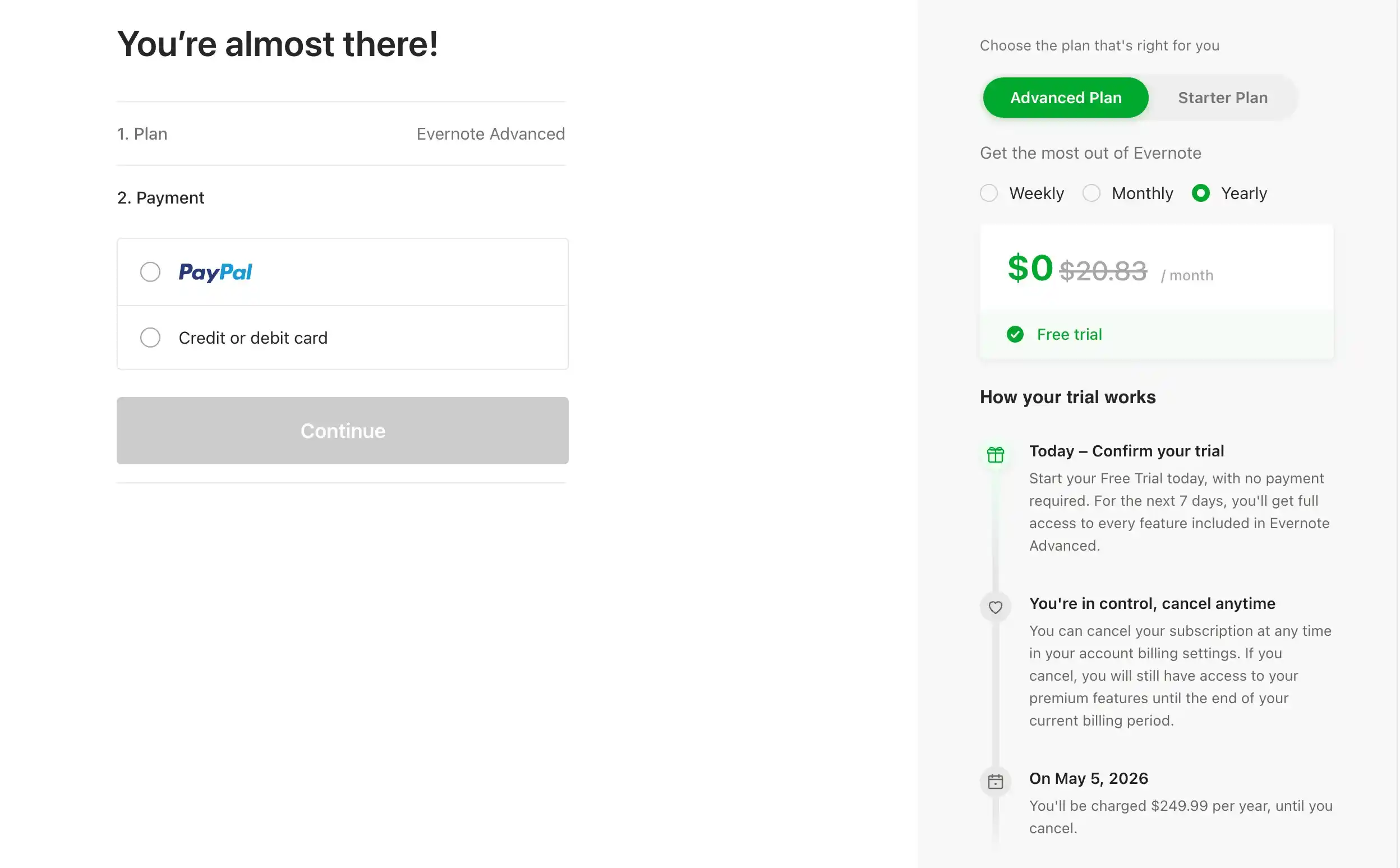
Evernote's free version is better suited for trying out the platform, but for long-term and more in-depth use, a paid subscription is almost a necessary choice.
When starting the free trial, Evernote offers three subscription options for users to choose from:
- Weekly Plan: $3.99 / week
- Monthly Plan: $14.99 / month
- Annual Plan: $8.25 / month (billed annually)
In terms of pricing, the annual plan has the lowest average monthly cost, making it a better choice for long-term users. The weekly plan is more suitable for short-term use or temporary needs.
Evernote AI Transcription Performance: Real Results
Overall, based on my testing, Evernote's transcription feature feels more like an extra productivity tool within its note-taking ecosystem, and it still has a noticeable gap compared with dedicated professional transcription tools.
File Upload Test
Evernote supports three upload methods: video, audio, and links. In my testing, uploading video and audio files worked successfully, but uploading a YouTube link resulted in an error.
Transcription Performance Test
- Evernote's official documentation states that it supports multiple files up to 100MB each. However, in my test, I uploaded two video files, and only the transcription for the first video was generated. The second video was not processed.
- In addition, the generated text format is quite basic. The output is presented as a single block of text, without timestamps or automatic segmentation, which makes it less convenient to read, especially for longer content.
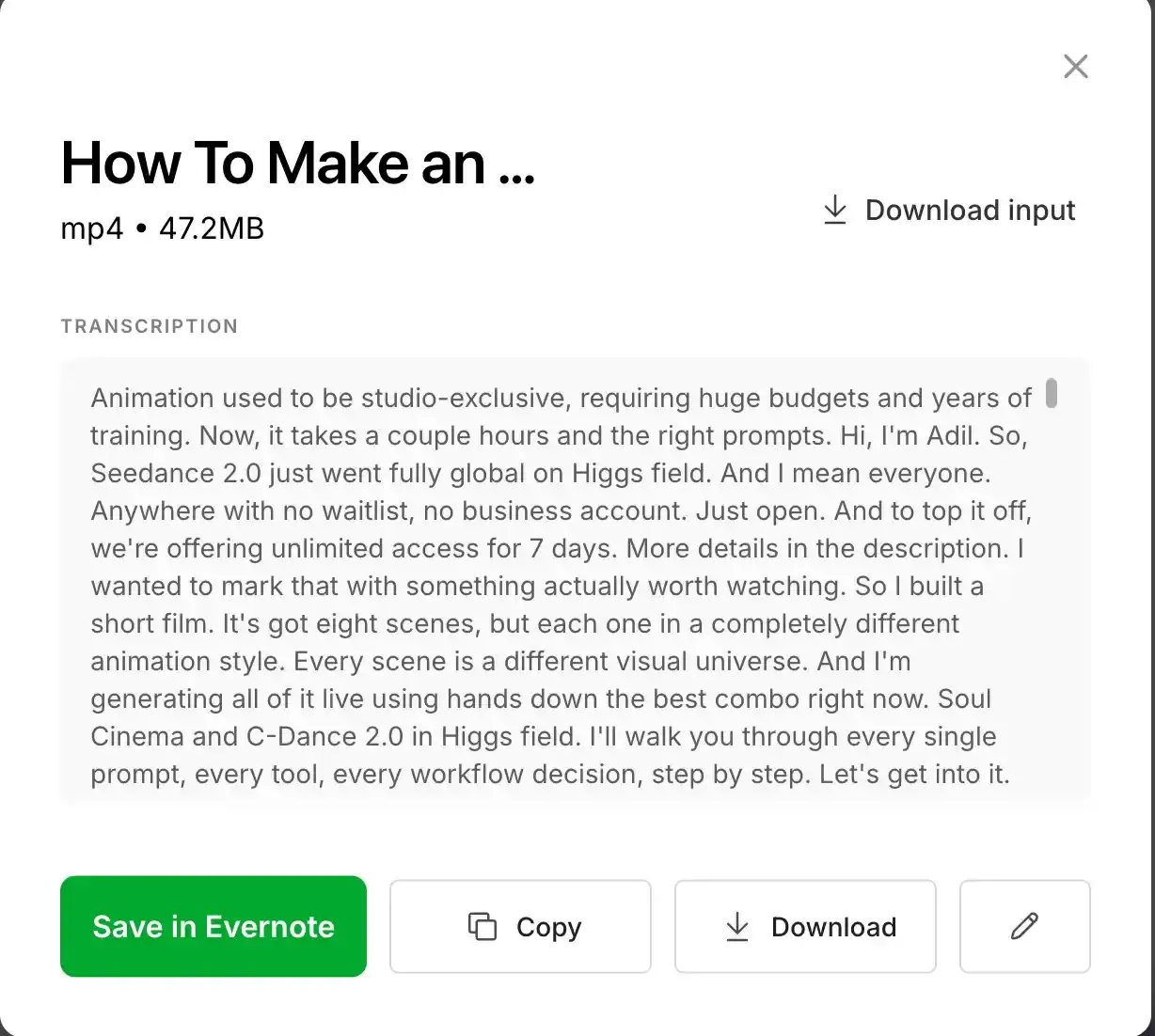
- When the recorded voice has a strong accent, some parts may be misrecognized, and the transcription accuracy can be affected to a certain extent.
Export & Editing
- In the current test, only TXT export is supported, while other common formats are not yet available.
- Although an editing option is shown in the interface, it did not respond properly when clicked during testing.
Pros and Cons of Evernote Transcription
Based on the test results of Evernote, its pros and cons are summarized as follows.
Pros
- Simple and easy-to-use interface
- Fast processing speed
In the test, a video of around ten minutes was transcribed in just a few seconds
- Supports videos up to 100MB
Even some AI transcription platforms only support videos of a few dozen minutes, while Evernote offers relatively more flexibility in this aspect
Cons
- Multi-Video Processing Limitations
It allows multiple video uploads, but only one file is processed at a time. This means each video has to be transcribed separately, which is not ideal for batch workflows.
- Low Transcript Readability
The output text comes as a single block without timestamps or automatic paragraph breaks, making it harder to read and follow, especially for longer recordings.
- No Support for YouTube Links
Evernote does not support transcription from links such as YouTube videos, which limits its use for online or shared video content.
- Limited Export Options
Export is currently restricted to TXT format only, with no support for other common formats like DOCX or PDF.
- Inconsistent Transcription Accuracy
Accuracy can drop in real-world conditions, especially when the audio contains strong accents or background noise.
Best Free Evernote Alternative for AI Transcription
Based on the actual test results of Evernote, it works fine if transcription is only used as a secondary feature. However, for users who rely on it as a core function, it is not sufficient.
This is also why we recommend using dedicated transcription tools. For example, AI Video Summarizeris a great option. It focuses on transcription and content summarization, with strong capabilities in structuring and organizing information.
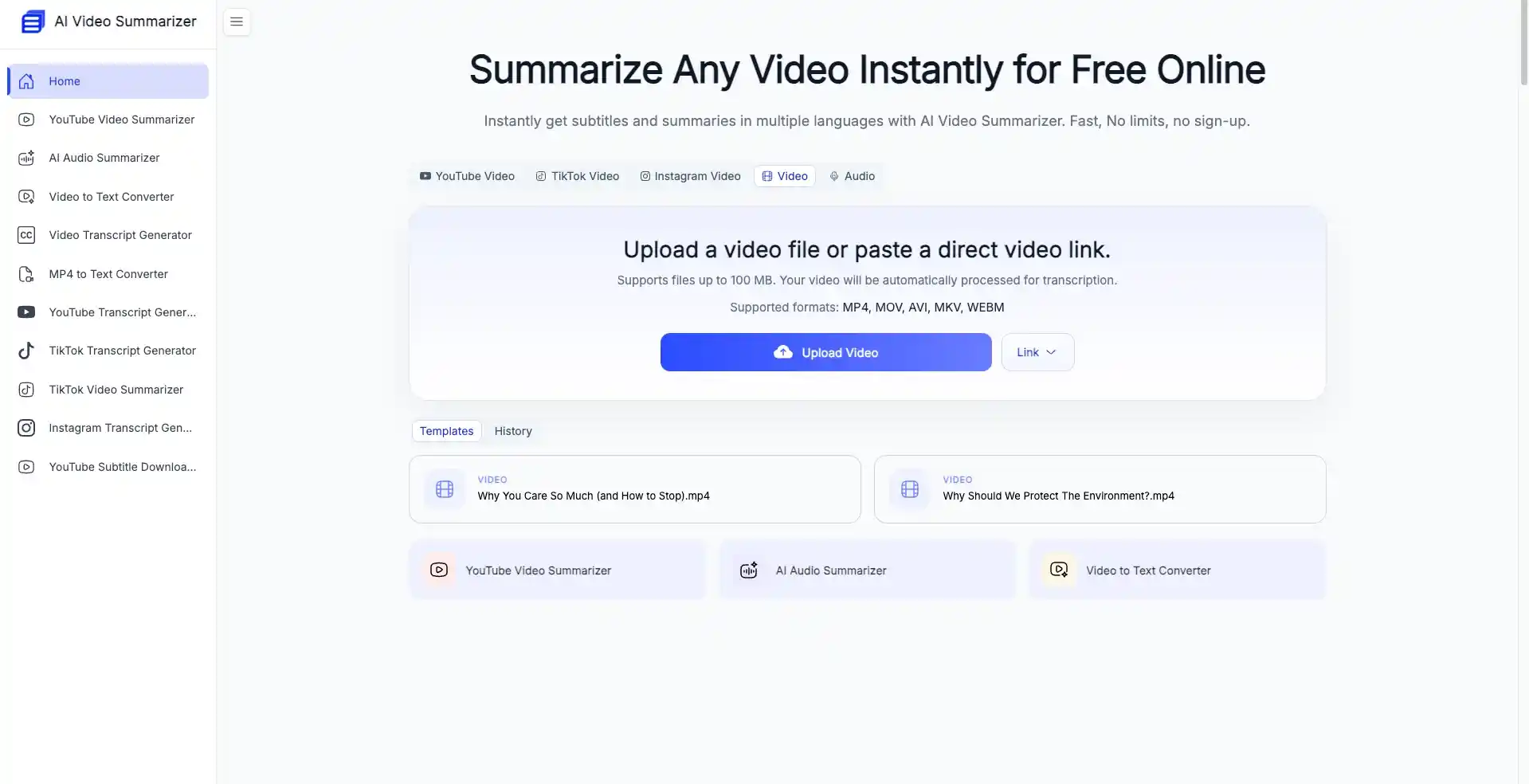
On AI Video Summarizer, you can experience:
- 100% free with no login required and no usage limits for transcription and summarization
- One-click transcription from text, video, PDF, images, and even platforms like YouTube and Instagram
- High-accuracy transcription results
- Supports 100+ languages, with strong recognition of different accents and dialects
- No waiting time, with near-instant generation
- One-click generation of transcripts, subtitles, and chapters, all with timestamps
- Supports five different export formats
- One-click translation of full transcripts, with support for paragraph-level translation
Evernote vs AI Video Summarizer: Feature Comparison
| Feature | Evernote | AI Video Summarizer |
|---|---|---|
| Free or not | 7-day free trial | 100% Free to use |
| Transcription Accuracy | Average, depends on accent | High accuracy |
| Input Sources | ✅Video ✅Audio ❌Youtube Link ❌Podcast | ✅Video ✅Audio ✅Youtube Link ✅Podcast |
| Output Format | ❌Subtitle ❌Chapter ❌Timestamps | ✅Subtitle ✅Chapter ✅Timestamps |
| Export Option | Txt only | TXT, DOCX, SRT, VTT, CSV |
| Additional Features | ✅Mind maps ❌Summarization ❌Paragraph-level translation | ✅Mind maps ✅Summarization ✅Paragraph-level translation |
| Multi-File Processing | ❌ | ✅ |
| Ease of Use | ✅ Easy | ✅ Easy, no sign up |
Conclusion
Evernote is undoubtedly a solid note-taking tool, but its transcription feature feels more like an add-on rather than a fully developed core function. For light use cases, such as simple meeting notes, it is generally enough. However, when it comes to longer videos or situations where ready-to-use, well-structured transcripts are needed, its limitations become quite noticeable.
In this case, using a dedicated transcription tool like AI Video Summarizer is a more suitable choice. It effectively addresses the limitations of Evernote while also offering a range of additional features. It is also completely free, making it a strong candidate as the best free alternative to Evernote.
FAQs
Is Evernote good for transcription?
Evernote works fine for light transcription needs, such as simple meeting notes or short recordings. For longer videos or structured transcription work, its limitations become more noticeable.
Can Evernote transcribe YouTube videos?
No, Evernote does not support transcription from YouTube or other external video links.
What formats does Evernote support for export?
Currently, Evernote only supports TXT expor.
Is Evernote free for AI transcription?
Evernote offers a 7-day free trial, but continued use of advanced features requires a paid subscription.