
HappyScribe Review 2026: Accuracy, Pricing & Safety Tested
If you frequently need to turn video content into text or organize meeting notes, you've probably already run into quite a few problems. Most tools you find on Google either lack accuracy and require heavy editing, or come with strict limits on usage time and number of transcriptions.
So what about HappyScribe, a transcription tool that has been getting a lot of attention on Reddit?
In this review, we'll look at those questions based on real use cases and take a closer look at HappyScribe's user experience, performance, and pricing. More importantly, we'll see whether it is worth using long term and paying for.
Try Video Transcription for Free
What Is HappyScribe and What Can It Do?
HappyScribe is a versatile productivity tool focused on content processing tasks, with its core capabilities centered on note-taking, subtitle generation, and audio and video transcription. It can handle meeting notes, course content, and video materials to a certain extent through automation, helping convert them into structured text or directly generate subtitles, thereby saving a lot of time compared to doing it manually.
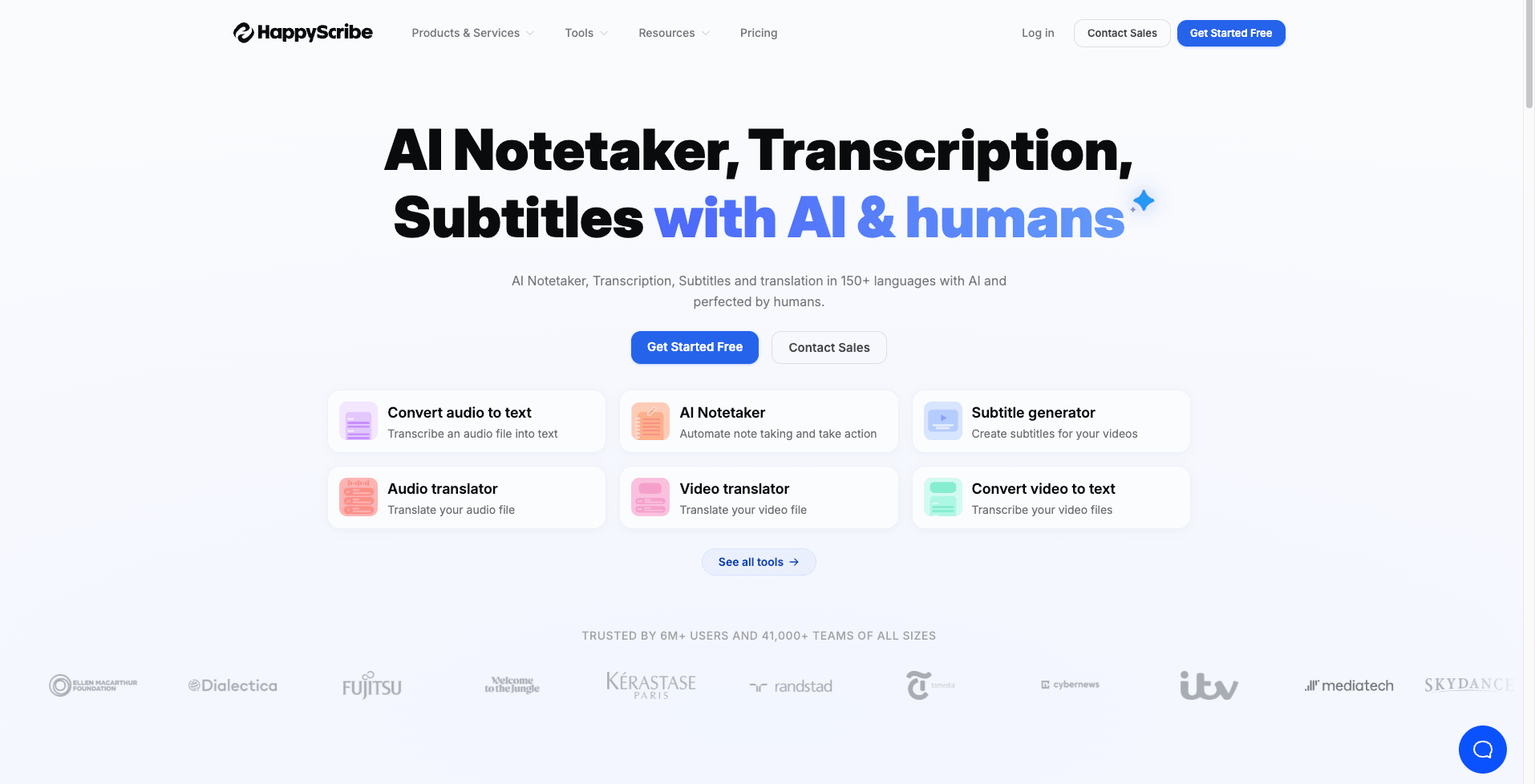
On HappyScribe, you can access:
- Audio and video transcription
You can upload local files, paste links, or record audio directly for transcription. It also supports video links from major platforms like YouTube and TikTok, allowing you to generate transcripts with one click, making it easy to quickly organize long-form video content.
- Automatic Summarization
HappyScribe also includes AI summarization feature. After transcription, it can extract key information and turn long audio or video content into a short, clear summary, helping you quickly understand the main points.
- Subtitle Generation
For content creators, HappyScribe can convert video content directly into subtitles with timestamp alignment, making it easier to publish or edit videos quickly.
- Basic Audio and Video Editing
In addition to transcription and subtitles, HappyScribe also provides simple audio and video trimming and file compression features. These functions cover basic content editing needs and help make the overall workflow more efficient and organized
How HappyScribe Solves Common User Pain Points
What real problems can HappyScribe actually solve? Is it really as practical as it claims to be?
Problem: Inefficient and Time-Consuming Subtitle Creation Process
For YouTube creators, manually adding subtitles to each video is a very time-consuming task. You have to replay the video repeatedly, transcribe it sentence by sentence, and then align everything with the timeline. This process is not only inefficient but also prone to spelling mistakes and inaccurate timing.
Solution: Upload the Video and Generate Subtitles in Seconds.
HappyScribe can automatically recognize the video content and generate a complete subtitle transcript with clear timestamps. You can directly apply it to your video or make further edits if needed.
Problem: Struggling to Turn Meeting Recordings into Clear Notes
A typical meeting is often long and involves multiple speakers. Relying on manual note-taking makes it hard to identify key points from a large amount of discussion, and important details are easily missed.
Solution: One-Click Transcription with Notes and Summaries
In HappyScribe, you can upload recorded meeting audio or video, or record live during the meeting. After transcription is complete, you can choose to summarize the meeting content and directly extract the most important information.
HappyScribe Pricing Strategy
Currently, HappyScribe offers both a free plan and paid plans. The paid options are available on a monthly or yearly basis and are divided into three tiers: Basic, Pro, and Business.
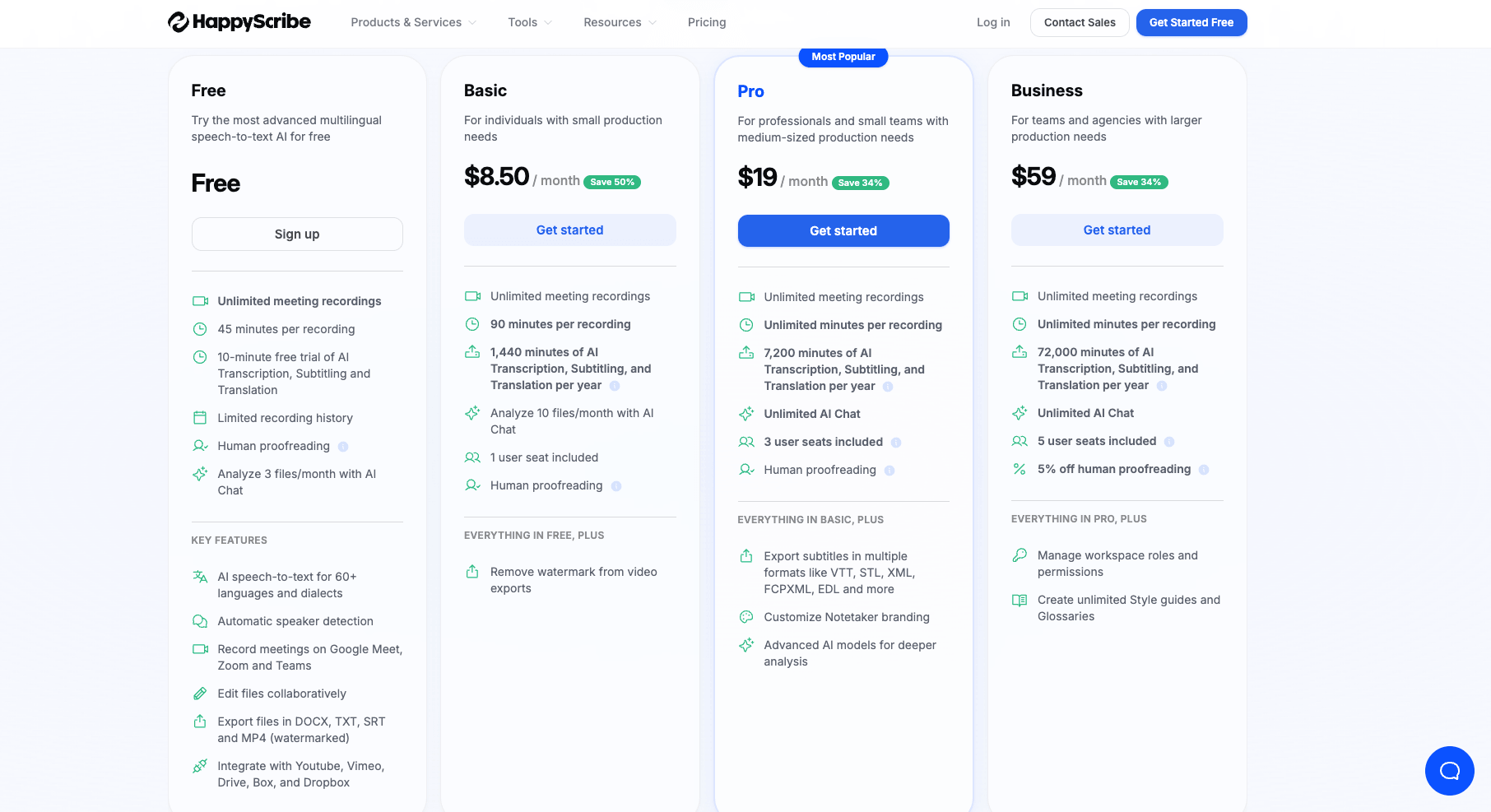
According to HappyScribe's free offering, new and free users can only access 10 minutes of AI transcription per month, and audio recording is also limited, with a maximum duration of 45 minutes, This makes it suitable for light users or those just trying transcription, mainly for testing rather than regular use.
At the same time, paid plans unlock higher limits and additional features.
Key Differences and Who Each Plan Is For:
- Basic Plan ($17/month)
Suitable for small needs. Includes around 120 minutes of transcription per month and 90 minutes of recording time, enough for daily videos and simple content. - Pro Plan ($29/month)
Designed for professionals and teams. Offers higher monthly transcription limits with no recording time restrictions. - Business Plan ($89/month)
Built for teams or organizations. Includes 5 user seats and up to 6000 minutes of transcription time, with full collaboration support.
HappyScribe Pros and Cons: Real User Experience
On G2, some users consider HappyScribe to be affordable and easy to use. However, on Reddit, many users report that its transcription accuracy is not very consistent, especially when handling podcast content, where formatting issues often occur.
This article evaluates the overall user experience of HappyScribe from multiple aspects such as performance and speed, and analyzes its strengths and weaknesses.
Pros
- Privacy-focused: For first-time users, a pop-up prompt allows them to choose whether to let HappyScribe use their data for model improvement. This option can also be turned off at any time.
- Human proofreading available: Users can directly use AI-generated transcripts, and HappyScribe also offers human review and proofreading services, improving accuracy to around 99%, at a cost of about $2 per minute.
- Manageable history: Users can quickly find past transcriptions through search, and also create private folders to organize and separate different types of content.
Cons
- Usage limit: Free users only get 10 minutes of transcription, which is essentially not enough for any real long-form content processing.
- Inconsistent accuracy: When audio contains background noise or multiple speakers, HappyScribe's recognition accuracy may decrease, leading to missing or incorrect words.
- Slow transcription speed: For an 8-minute YouTube video, transcription typically takes around 10-20 minutes, which is slightly slower compared to some other tools.
- Steeper learning curve: The interface is relatively complex, including features like Glossaries and Style Guide, which can be confusing for first-time users and make it less beginner-friendly.
- Formatting issues: When processing long audio such as podcasts, the transcription output may sometimes have inaccurate segmentation and formatting, leading to a slightly disorganized structure.
- Limited customization: Speaker identification is not always stable, and users cannot freely edit or adjust it manually.
Comparative Analysis: Evernote, NoteGPT, and Clipto AI
Which tool is better ultimately depends on your specific use case and budget. In terms of accuracy, speed, and overall performance, each tool has its own strengths, so there is no single best option, only the one that best fits your needs.
Quick Comparison Overview
| Feature | Happycribe | NoteGPT | Clipto AI |
|---|---|---|---|
| Accuracy | ⭐⭐⭐☆☆ Generally accurate | ⭐⭐⭐⭐☆ Moderate accuracy | ⭐⭐⭐⭐☆ Affected by audio quality |
| Speed | 10-20mins | 5-10mins | 7-15mins |
| Export Formats | DOCX, TXT, PDF (free) + 16 paid formats | TXT & SRT | DOCX only |
| Free Video Length | 10mins | File Size Limit 1 GB | None |
| Price | Freemium | Freemium | Paid |
| Best for | Pro workflows Bussinesses | Large-scale projects Students & group work | Casual users Quick testing & trials |
NoteGPT
NoteGPT is a more comprehensive and professional platform focused on video summarization and knowledge extraction for reuse. It is especially useful for students and knowledge workers, thanks to its high-quality transcription and summarization, as well as support for files up to 1GB. In addition, NoteGPT offers referral discounts, allowing users to get better pricing when subscribing together. However, during testing, some transcription errors and minor bugs were observed, indicating there is still room for improvement.
Evernote
Evernote is a well-established transcription tool that often ranks highly when searching for "video to text" on Google. It supports both web access and a downloadable app, allowing users to transcribe videos anytime and anywhere. In terms of features, Evernote supports batch video uploads, enabling multiple files to be transcribed at once, and also provides editing tools for reviewing and correcting transcripts after processing. However, it comes with limited free usage, requiring payment for extended access, and each video is restricted to a maximum length of 1 hour, which may limit its use for longer content.
Clipto AI
Clipto focuses on fast processing and flexible output formats, making it suitable for users who need to organize content efficiently. It can convert videos to text in a short time and supports features like speaker recognition and text editing, which helps streamline post-processing. It also offers multiple export formats, including DOCX, TXT, and SRT, making it convenient for different use cases. However, like many established transcription tools, it comes with certain limitations, free users may not be able to export full transcripts, and there is still room for improvement in terms of accuracy.
Best Free HappyScribe Alternative Recommendation
All of the tools mentioned above, HappyScribe, NoteGPT, and Clipto, have their own strengths and weaknesses. At the same time, they share a common limitation: free users face significant restrictions, and a paid plan is usually required for long-term use of transcription and summarization tools.
However, if you prefer not to pay, AI Video Summarizer could be a best free alternative to consider.
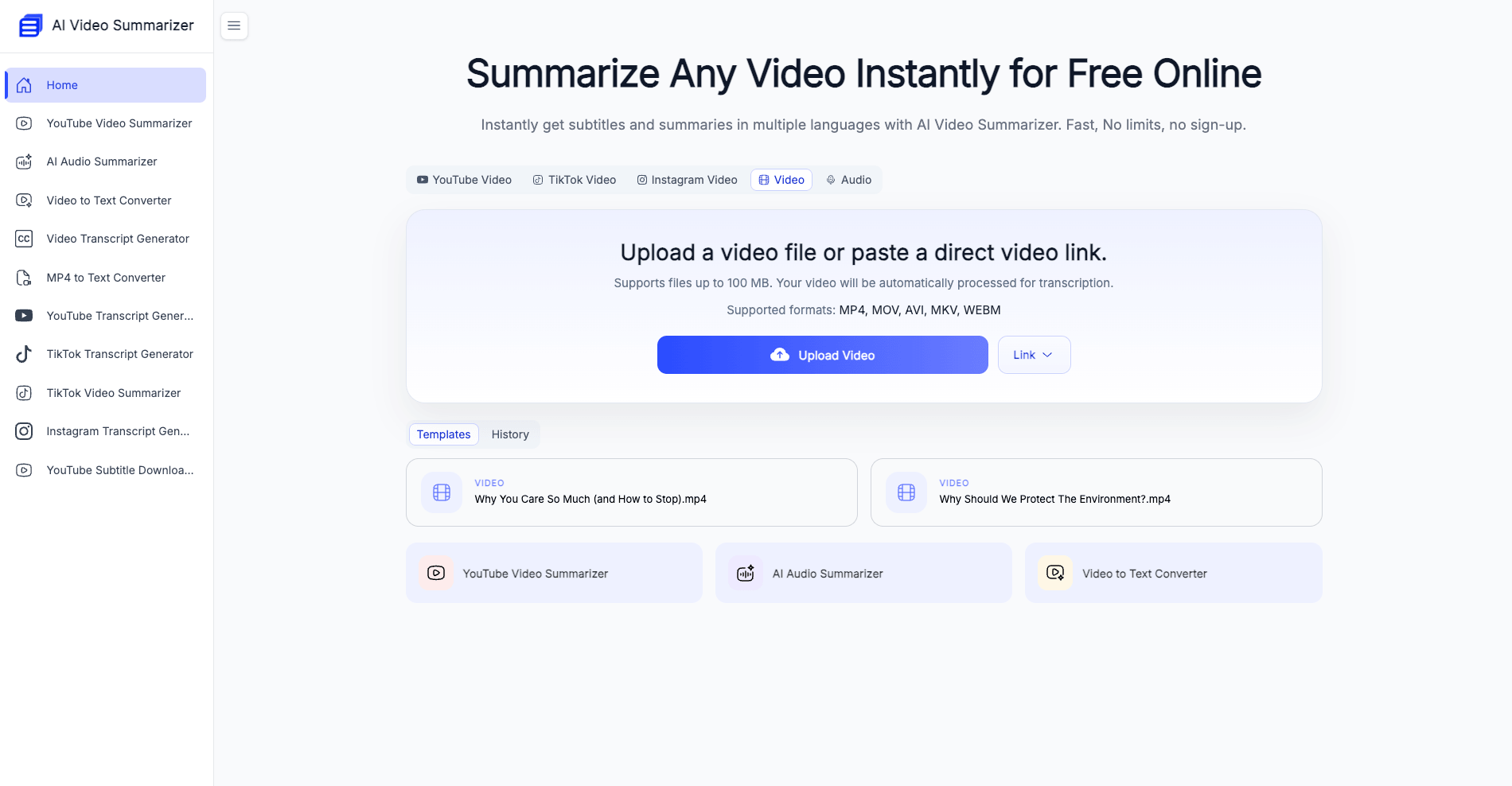
AI Video Summarizer is designed for quick video summarization, supporting transcription and content extraction from multiple platforms such as YouTube, TikTok, and Instagram, and it can also integrate with tools like Zoom. Its biggest advantage is that it is completely free and can be used directly without signup.
Compared to paid tools, it may lack some advanced features, but it is already more than enough for everyday transcription and summarization needs.
Conclusion: Is HappyScribe Worth It?
Admittedly, HappyScribe is a well-rounded transcription tool with strong performance in multilingual support, workflow completeness, and human proofreading accuracy. It is a cost-effective choice, especially for businesses and team users.
However, if your needs are limited to quick video summarization or basic transcription for light usage, the completely free AI Video Summarizer can be a best alternative to HappyScribe.
FAQs
Is the data I upload on HappyScribe safe?
According to HappyScribe's official documentation, users can choose whether to enable data sharing and can opt out at any time. When enabled, the shared data is used to train and test models to improve accuracy, and it will not be made public or used for any other purposes.
Does HappyScribe provide accurate transcription?
HappyScribe generally performs well with clear audio. However, accuracy may decrease in noisy environments or when multiple speakers are involved.
Can I use HappyScribe for free?
Yes, but the free plan is very limited. It only offers 10 minutes of transcription per month for new users.
How long does HappyScribe take to process a video?
In our testing, HappyScribe's transcription speed was not particularly impressive. A video of around ten minutes typically takes about 20 minutes to be fully transcribed.
Does HappyScribe support subtitles and export formats?
Yes, it supports subtitle generation with timestamps and multiple export formats such as TXT, DOCX, and SRT.