
The Ultimate Guide to Learning Faster and Understanding More with AI Chat
Why Do We Need AI Chat?
Today, we process an unprecedented amount of information, including videos, audio recordings, PDFs, documents, transcripts, summaries, course materials, meeting minutes, and more. Even if you have easy access to this information, finding the exact answers you need can often be time-consuming and laborious.
In real life, a video, document, or file often requires us to manually watch, read, search, copy, and organize its content. Important details may require repeated viewing, rereading, or poring over lengthy documents, leading to overall inefficiency in work or study.
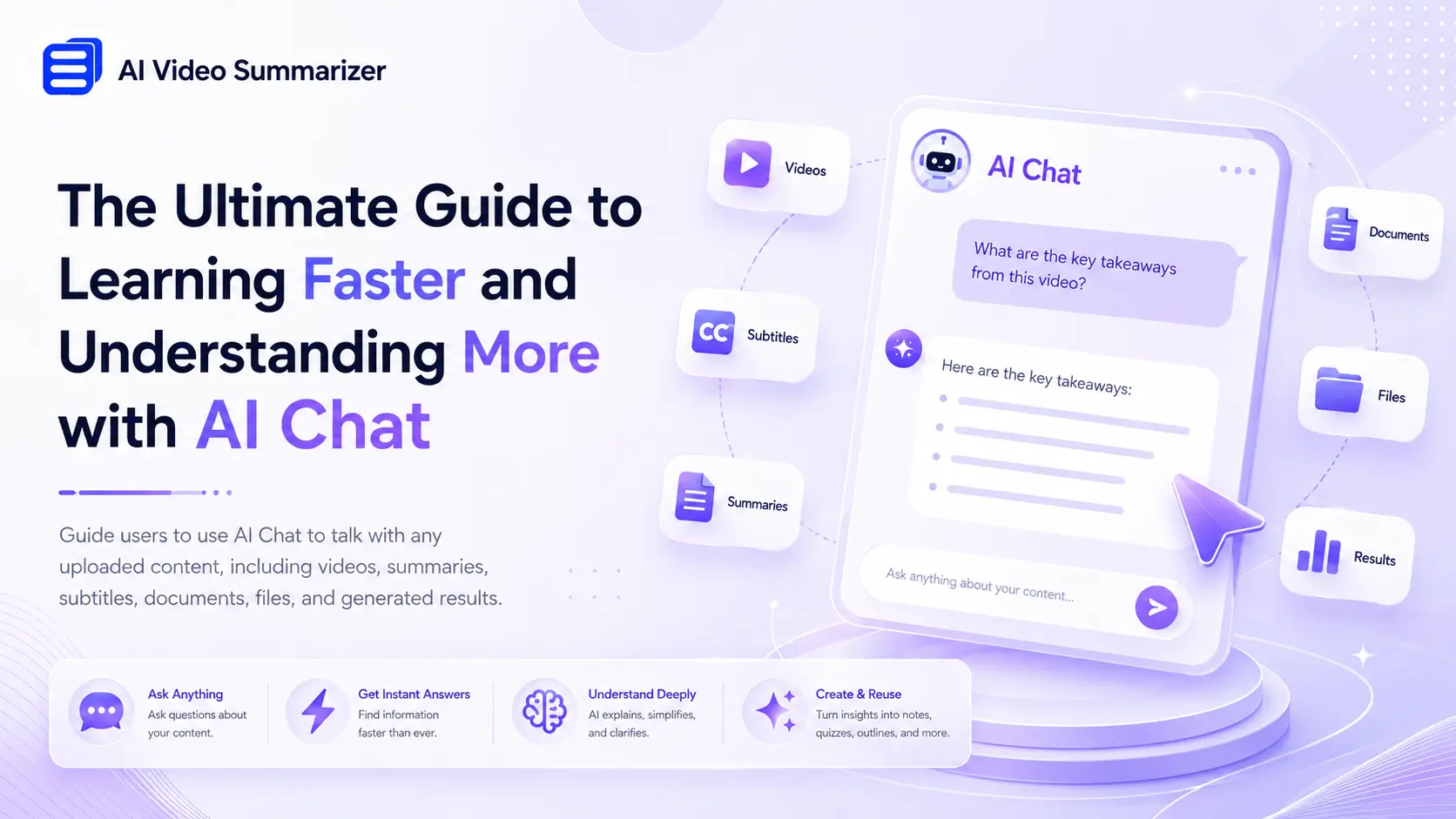
AI chat changes this experience. Users no longer need to repeatedly review content; they can simply ask questions about videos, documents, summaries, transcripts, or uploaded files. Whether it's understanding complex concepts, finding specific details, or extracting key insights, AI chat provides instant answers based on the content itself.
Users no longer need to spend more time searching for information; instead, they can dedicate more time to understanding it.
What Is AI Chat?
You might say, "Isn't it just a chatbot?" In this article, we're introducing an AI chatbot that's not a traditional chatbot. It's a truly intelligent assistant that doesn't offer answers to irrelevant questions. Instead, it fully understands your content and helps you interact with it more effectively.
AI Chat can analyze and understand various types of content, with a single core purpose: to help you quickly understand content without needing to repeatedly read or watch it. This includes, but is not limited to, the following:
- Chatting with uploaded video and audio files.
- Understanding faster through automatically generated transcripts and subtitles via AI Chat.
- Deeply understanding AI-generated summaries and key insights through AI Chat.
- Gaining key information from uploaded PDFs, Word documents, and other documents, based on generated points and insights.
- Deeply understanding content with timelines, chapters, and highlighted sections through AI Chat.
In short, for user-generated or imported content, users don't need to manually search pages, repeatedly read transcripts, or watch lengthy videos; they can simply ask questions to get answers based on the content itself.
AI chat allows you to ask questions directly based on the generated content, enabling faster understanding, review, and reuse of information. Whether you need quick explanations, concise summaries, key points, or deeper insights, AI chat can help you get the information you need in seconds.
Who Is Best Use Cases for AI Chat?
AI Chat can be useful in a variety of scenarios, helping us understand, organize, and reuse information more effectively.
- For students: Students can use AI Chat to review course content, understand difficult concepts, summarize learning materials, and generate practice questions. They can quickly find answers and focus on learning.
- For professionals: Business professionals can use AI Chat to analyze reports, summarize meeting content, extract actionable points, and review training materials.
- For content creators: Creators can transform videos, transcripts, and documents into blog posts, social media content, outlines, and other reusable materials.
- For researchers: Researchers can quickly navigate through lengthy papers, reports, and interview transcripts by asking targeted questions.
- For language learners: Language learners can directly access vocabulary explanations, grammar guidance, translations, and contextual examples from text, captions, or learning materials, making the learning process more interactive and efficient.
How to Use AI Chat in AI Video Summarizer
To help you understand better, we'll use the YouTube Video Summarizer within AI Video Summarizer as an example, guiding you step-by-step to quickly master its use and ultimately achieve rapid content comprehension.
Since the AI chat function provided by AI Video Summarizer is a global feature, all other functions also have AI chat functionality. The usage of other functions is the same as the YouTube video summarizer.
The detailed steps for AI chat are as follows:
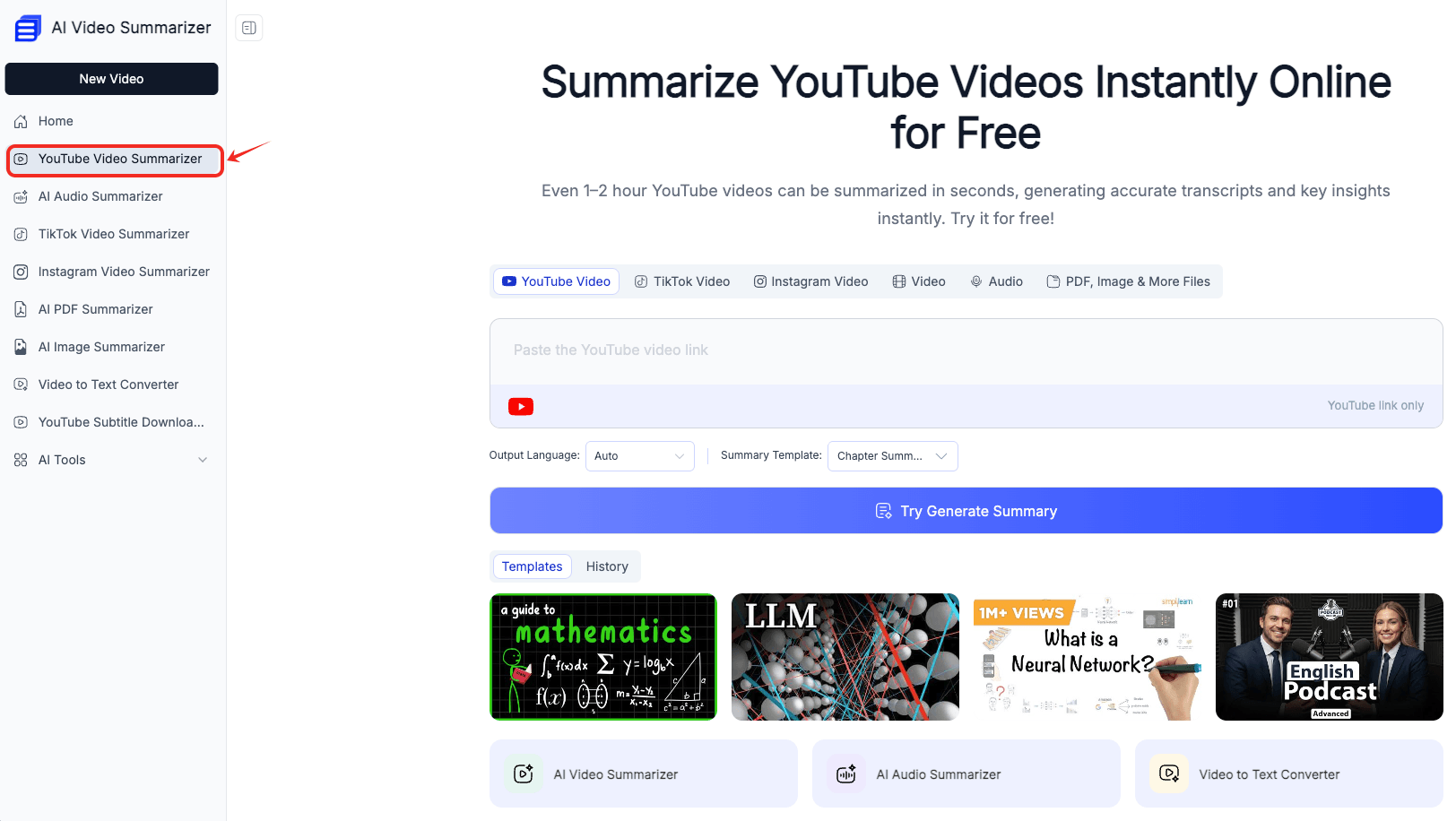
1. Open AI Video Summarizer and select the YouTube video summarizer function.
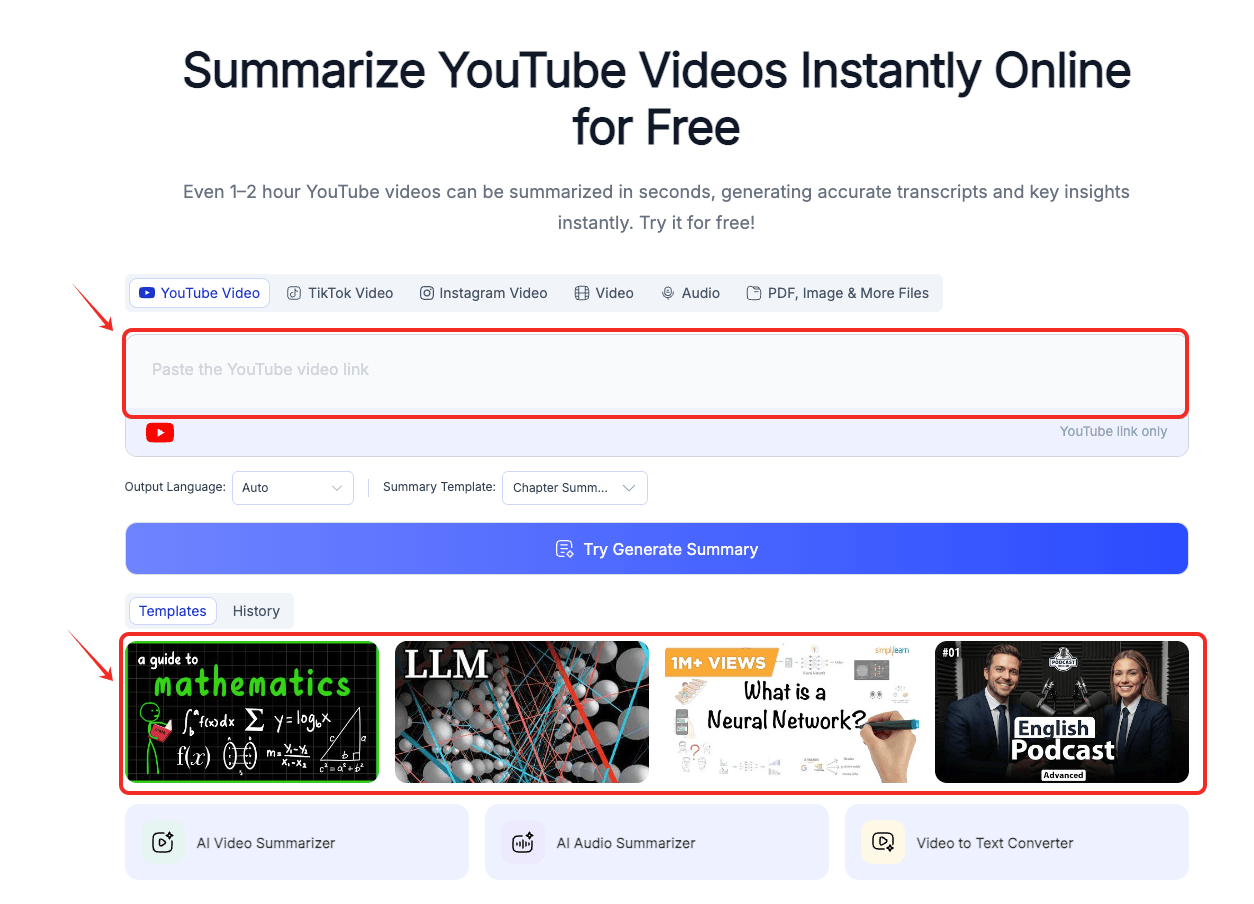
2. Upload a YouTube video or file, or you can directly select a template video.
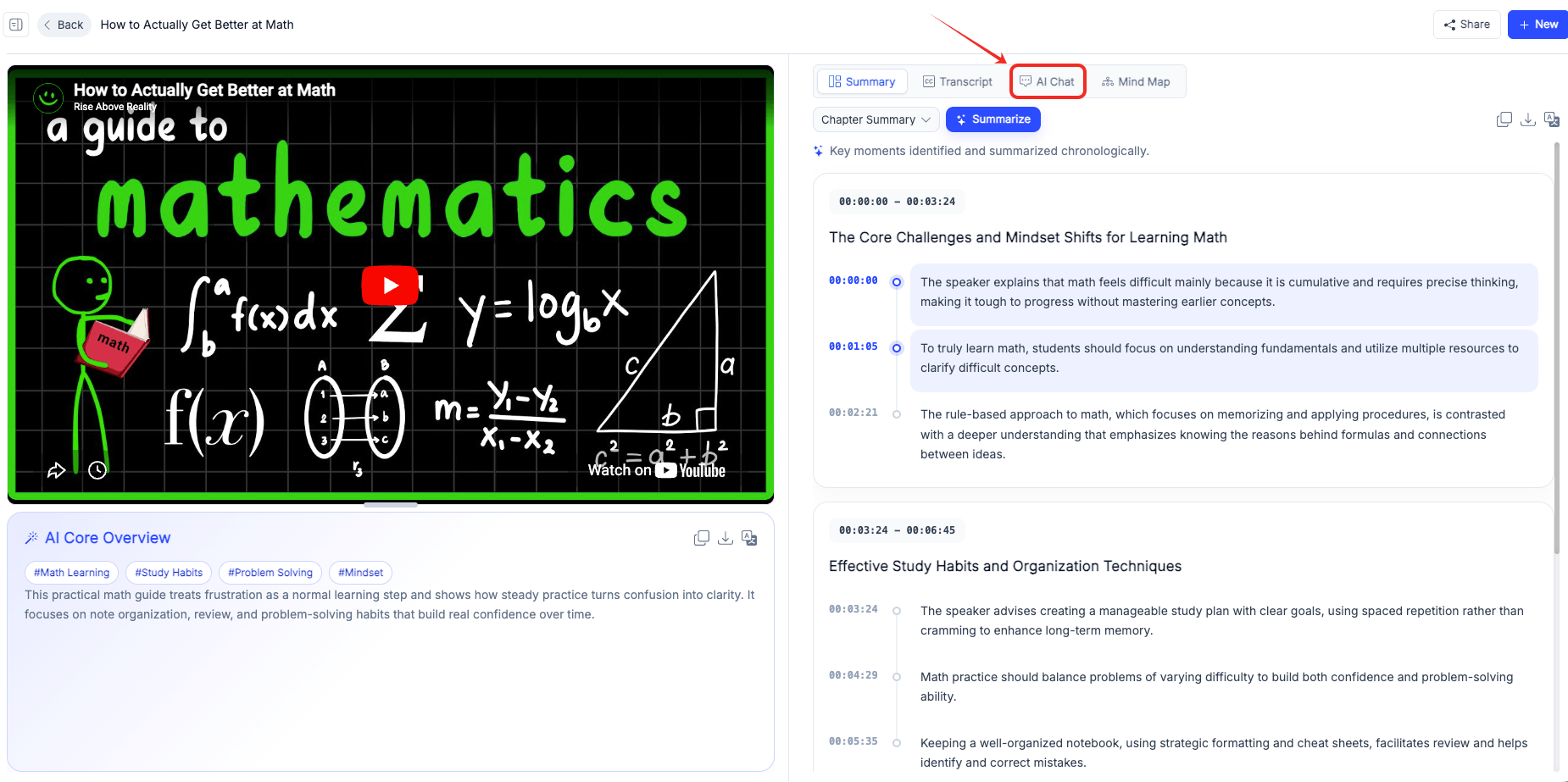
3. Wait for the AI to summarize the YouTube video content, and prepare to ask questions about any content you don't understand.
4. Click the "AI Chat" function to enter quick chat mode.
5. Ask any questions related to the uploaded content, carefully reading and understanding them.
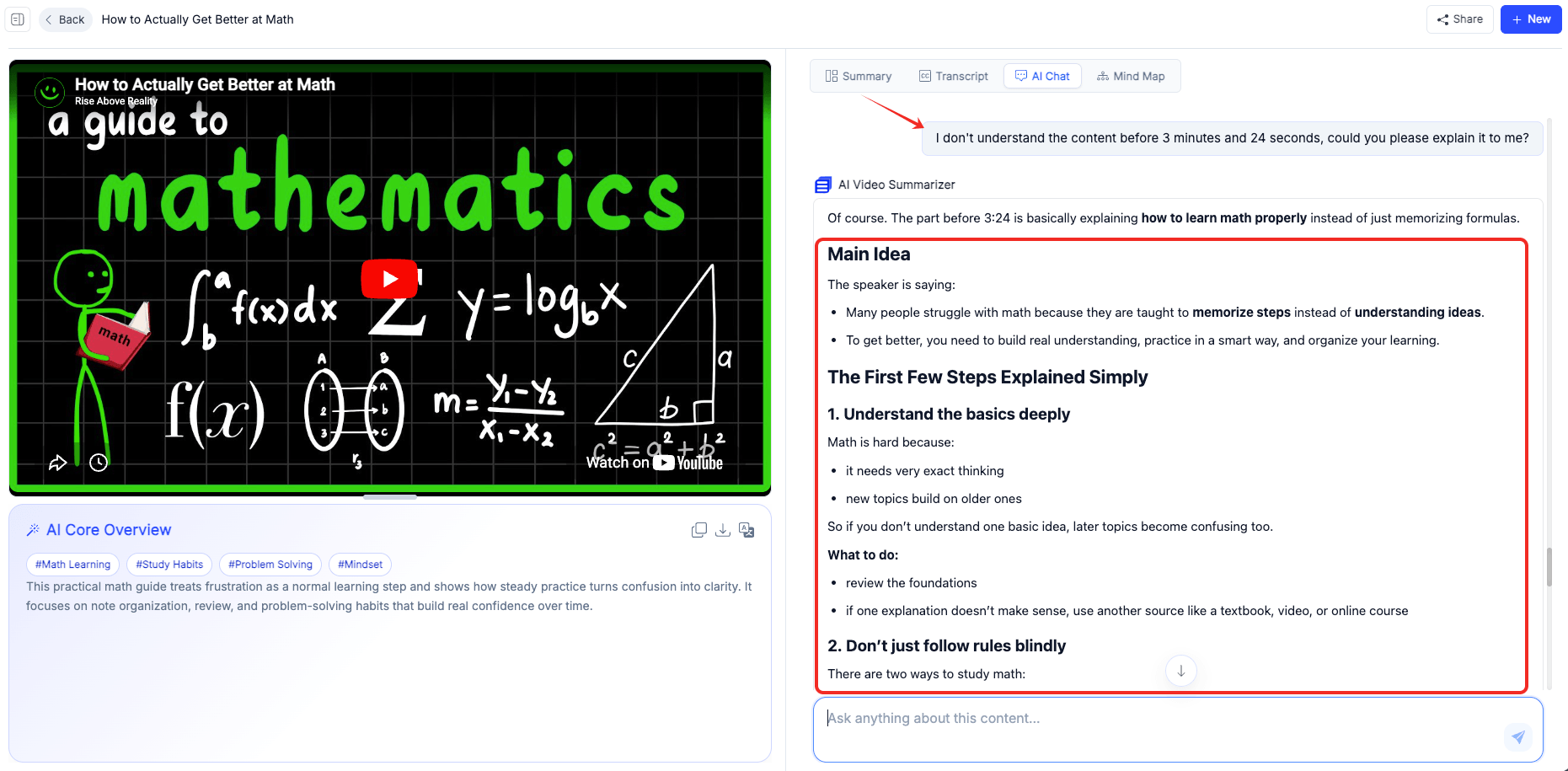
Following this step-by-step guidance, you will master an AI assistant that can answer questions about content anytime, anywhere, and its capabilities are no longer limited to general, one-dimensional statements.
Why AI Chat Is Different
Frankly, most chatbots today answer questions based on general knowledge. It's more like a massive knowledge base; it answers and provides solutions to whatever you want to know. AI Chat, which we're discussing, goes a step further. It fully understands the content you upload and generates answers based on specific context, helping you quickly comprehend the content.
You simply ask questions about the uploaded content, specific videos, documents, transcripts, summaries, or files. Because AI Chat has direct access to the content itself, its responses are more relevant, accurate, and useful.
This means you no longer need to manually sift through large amounts of text or repeatedly watch lengthy videos to find information. AI Chat can pinpoint key details, explain complex concepts, and help you gain insights instantly.
Traditional Chatbot vs AI Chat
| Feature | Traditional Chatbot | AI Chat |
|---|---|---|
| Understand uploaded files | ❌ | ✅ |
| Answer based on video content | ❌ | ✅ |
| Analyze transcripts | ❌ | ✅ |
| Explain specific sections | Limited | ✅ |
| Generate notes from content | Limited | ✅ |
| Reuse uploaded information | ❌ | ✅ |
Traditional Way vs AI Chat
| Task | Traditional Way | With AI Chat |
|---|---|---|
| Understand a long video | Rewatch manually | Ask direct questions ✅ |
| Read a long document | Read page by page | Ask for key points ✅ |
| Find one detail | Search manually | Ask AI instantly ✅ |
| Create notes | Write manually | Generate structured notes ✅ |
| Learn difficult concepts | Search elsewhere | Get explanations in context ✅ |
| Reuse content | Copy and rewrite | Generate new outputs ✅ |
What Can We Do with AI Chat?
The AI Video Summarizer's built-in "AI Chat" feature is very powerful; it can quickly help you understand the uploaded content.
Chat with Videos Without Rewatching
Whether you upload a video file or directly enter a video link, including but not limited to YouTube videos, TikTok videos, Reels videos, and more, after the AI Video Summarizer transcribes or summarizes the content, if you are unsure whether you fully understand the content, you can directly open AI chat and ask the following questions:
- What is this video mainly about?
- Explain this part in simple words.
- What did the speaker mean here?
- Summarize the first 10 minutes.
- Find the key points from this lecture.
- Create notes from this video.
You don't need to repeatedly drag the progress bar or rewatch the entire video. Simply chat with AI to resolve any questions you may have about the video content, saving you time.
Chat with Summaries and Key Moments
While AI-generated summaries can save users a significant amount of time, sometimes simply providing a summary isn't enough. We want to delve deeper into a key point, grasp its core, or explore a concept in more detail. With AI chat functionality, summaries are no longer static but interactive. You can engage in conversation by asking questions like:
- Why is this point important?
- Expand this key moment.
- Turn this summary into study notes.
- Make this summary shorter.
- Create an outline from these key moments.
We can immediately request clarification, additional background information, or a more concise explanation without having to manually review each section. This allows users to actively explore the information that is most important to them, rather than simply reading a summary.
Chat with Subtitles and Transcripts
While video subtitles and transcripts make content searchable, browsing through lengthy videos, podcasts, interviews, lectures, or conference recordings remains time-consuming. AI Chat allows us to interact directly with transcripts and subtitles through natural conversation, eliminating the need to manually sift through hundreds or thousands of lines of text.
- What are the key points of the discussion?
- Explain this text in simpler terms.
- What does this sentence mean?
- Find all mentions of a specific topic.
- Extract action items from this meeting.
- Create notes based on this transcript.
For language learners, AI Chat can also help explain vocabulary, clarify expressions, and provide translations within the original context. For professionals, it can quickly identify decisions, tasks, and key insights hidden within lengthy conversations. AI Chat doesn't treat subtitles and transcripts as static text; instead, it transforms them into an interactive knowledge base.
Chat with Documents and Uploaded Files
Sometimes, reading long documents is incredibly time-consuming, especially when you only need specific information. Whether it's a PDF, Word document, research paper, business report, meeting minutes, or course materials, finding key information often requires manually flipping through numerous pages. With AI Chat, simply upload the file and ask questions.
- What is the main content of this document?
- Summarize this report in a few paragraphs.
- Explain this section in simpler language.
- What conclusions does this document draw?
- Extract the most important action items.
- Create an outline based on this document.
We don't need to read every page from beginning to end; we can quickly focus on the most important information. Whether you're studying a textbook, reviewing a contract, analyzing a report, or preparing for a meeting, AI Chat is incredibly useful.
Conclusion
Okay, we've reached the end. After reading this article, do you fully understand the role and uses of AI Chat? Frankly, as time goes on, the amount of information we face continues to grow, making it increasingly important to efficiently find, understand, and utilize this information. Whether you're working with videos, transcripts, summaries, documents, reports, or learning materials, manually searching for content is a slow and tedious process.
AI Video Summarizer offers AI Chat, a smarter way to filter and access information. Instead of wasting time repeatedly watching or reading, you simply ask questions to get precise answers. From understanding complex concepts to extracting key insights and generating ready-to-use content, AI Chat transforms passive content into a fast and efficient knowledge acquisition experience.
Whether you're a student, professional, researcher, content creator, or lifelong learner, AI Chat can help you learn faster, work smarter, and extract more value from every piece of content.
The AI Chat feature offered by AI Video Summarizer is completely free and unrestricted; just open it and get started.