
AI Video Summarizer vs WayinVideo: Video Content Repurposing
In today's fast-paced world, most people do not have time to sit through a full 2-3 hour podcast or YouTube video. As a result, a lot of valuable insights and information often go unnoticed. That is why video content repurposing has become so important. By turning one video into blog posts, social media content, short clips, newsletters, and more, creators can reach audiences across multiple platforms while making information easier and faster to consume.
In this guide, we compare two video tools: AI Video Summarizer and WayinVideo. Both improve the efficiency of video content usage, but they serve different purposes. AI Video Summarizer focuses on summarization and content extraction, while WayinVideo is more oriented toward content regeneration and secondary creation, helping you quickly choose the right tool for your needs.
Instantly Repurpose Your Videos
AI Video Summarizer vs WayinVideo Quick Comparison Table
| Feature | AI Video Summarizer | WayinVideo |
|---|---|---|
| Registration Required | No login required | Account required |
| Price | 100% free to use | Freemium + paid plans |
| Usage Limits | No file or usage limits | Credit-based limits |
| Output Format | PDF & TXT & Word | TXT & Markdown |
| Core Focus | Text-based summarization & repurposing | Video clip extraction & editing |
| Storage | No storage, no history saved | Cloud storage with plan-based retention |
| Best Use Case | Notes, blogs, SEO, posts, research | Shorts, Reels, TikTok content |
| Target Users | Individuals, students, creators | Creators, teams, enterprises |
What Is AI Video Summarizer?
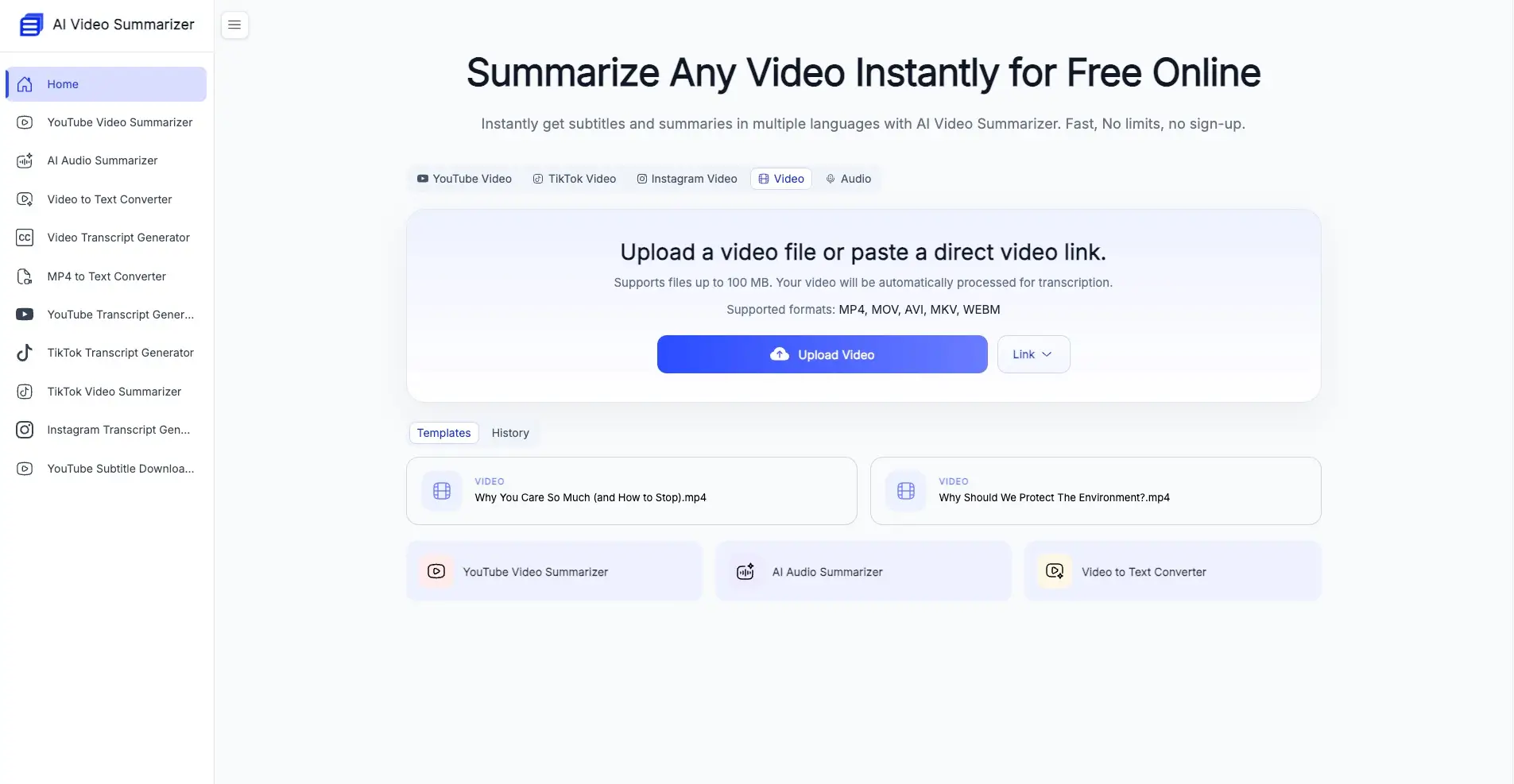
AI Video Summarizer is a free tool that transforms video content into structured, ready-to-use information. Instead of just extracting key points, it goes further by organizing content into practical formats such as blog posts, notes, and more.
With different templates, the same video can be turned into multiple types of outputs, making video content repurposing and distribution faster and more efficient.
Key Features:
- 30+ different summary templates for various use cases
- Supports video summarization and output in 100+ languages
- Up to 98.65% accuracy in transcription and summarization
- Multiple export formats available for download
- Supports mind map generation for better visualization
- 100% free to use and no login required
What Is WayinVideo?
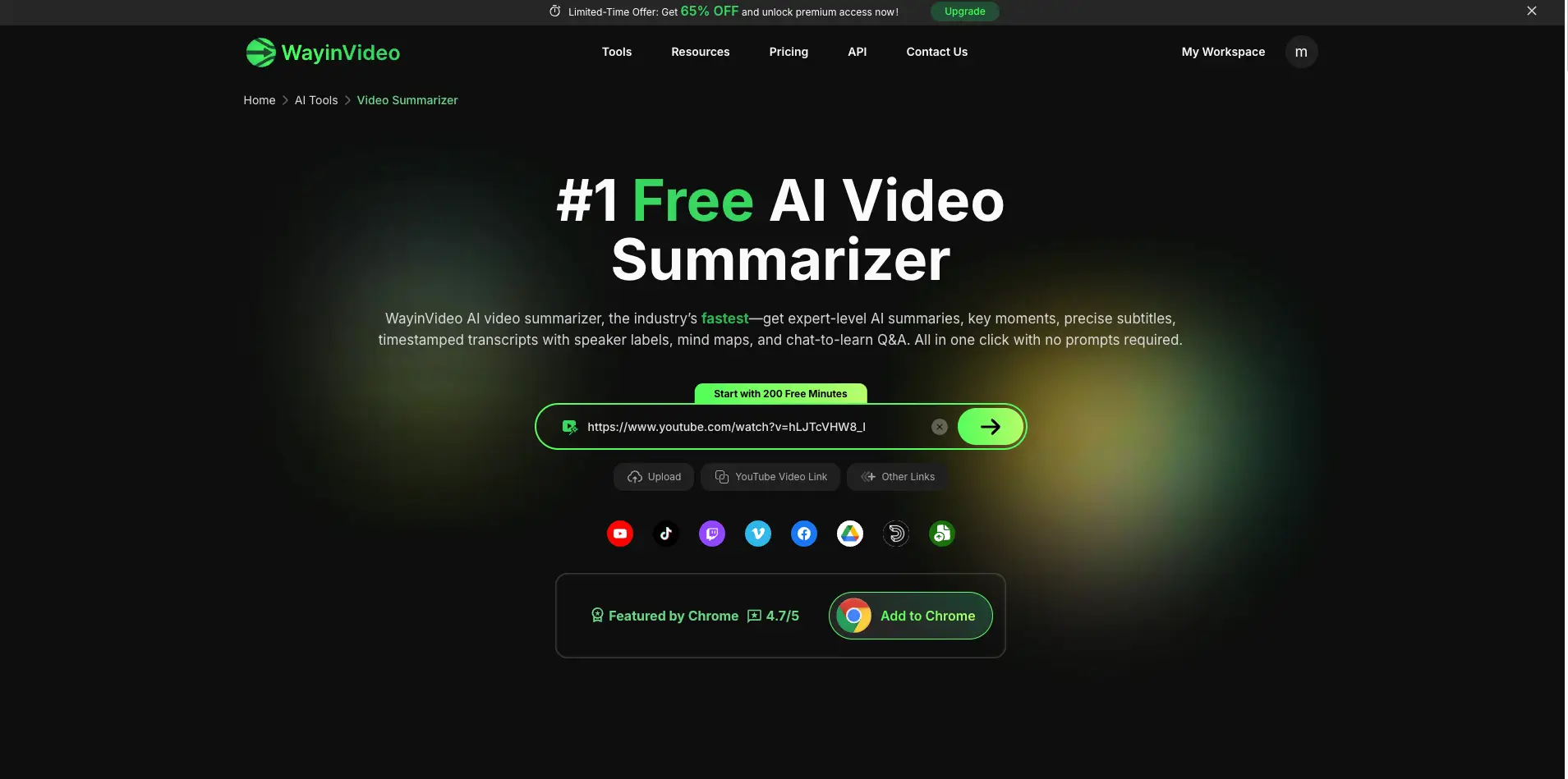
Unlike AI Video Summarizer, which focuses on text-based summarization and content transformation, WayinVideo is designed for extracting and repurposing video highlights. In addition to helping users quickly understand the core content of a video, it also generates shareable highlight clips that can be used for social media, video editing, or creative repurposing.
Key Features:
- Instantly extract highlight clips from long videos
- Supports multilingual video input with one-click translation of outputs
- Quickly edit video highlights based on a timeline
- Easily share short-form clips across major social media platforms
- Includes extra features such as AI chat and mind map generation
Key Differences Between AI Video Summarizer and WayinVideo
AI Video Summarizer vs WayinVideo: Getting Started Guide
| Aspect | AI Video Summarizer | WayinVideo |
|---|---|---|
| Login Barrier | No login required | Required signup |
| Action Steps | 1 step to begin summarization | Several steps before generation |
| Time to result | 3-5s | ~1 minute due to the multi-step flow |
| Ease of use | Lightweight and immediate | More structured with extra steps |
AI Video Summarizer: No Login Required to Begin
For users, AI Video Summarizer offers a clean and intuitive interface where the core functionality is accessible directly from the homepage. No login is required. Users can simply upload a file or paste a video link to start processing instantly.
The platform has almost no usage barriers, supporting video files up to 100MB, including common formats like MP4 and MOV, as well as links from platforms such as YouTube and TikTok. For beginners, there is virtually no learning curve.
AI Video Summarizer has a simple and streamlined workflow that only takes a few steps:
- Open the website
- Upload a video file or paste a platform link
- Start processing and wait for the summary to complete
- Download or share the result
WayinVideo: A Slower, More Gradual Start
As a more comprehensive platform, WayinVideo follows a more structured onboarding process. Users are required to register and log in before accessing its core features.
During video upload and processing, the interface also presents a wider range of tools such as Video Editor and AI Hook, making the product feel more complete and well-structured.
The platform is designed to support broader workflows rather than focusing solely on video transcription or summarization. It emphasizes the deeper use cases and long-term value of video content.
The typical workflow of WayinVideo is as follows:
- Sign up and log in
- Select the Video Summary tool
- Upload a video file or paste a link
- Wait for processing to complete
- Download or share the result
Takeaway:
For beginners who want to quickly try online video summarization, AI Video Summarizer offers a more convenient onboarding experience with no login required. In contrast, WayinVideo follows a more structured workflow, making it better suited for users who prefer to explore its full features gradually after becoming familiar with the platform.
AI Video Summarizer vs WayinVideo: Video Content Repurposing Workflow
When comparing AI Video Summarizer and WayinVideo, the biggest difference lies in their approach to content repurposing. AI Video Summarizer focuses more on transforming video content into reusable text-based formats, while WayinVideo is centered around extracting and repurposing video highlights and clips.
| Aspect | AI Video Summarizer | WayinVideo |
|---|---|---|
| Main workflow | Video -> structured text outputs | Video -> editable short clips |
| Output style | Blogs, notes, clip ideas, summaries | Shareable video highlights only |
| Content flexibility | Multiple reusable templates | Clip-focused editing workflow |
| Ideal users | Writers, students, researchers, marketers, creators | Creators, editors, social media teams |
AI Video Summarizer: Focused on Content Repurposing
AI Video Summarizer offers 30+ content templates that can transform key insights from videos into blog posts, viral video ideas, social media posts, and more. It is especially useful for creators who want to quickly repurpose and distribute content across multiple platforms.
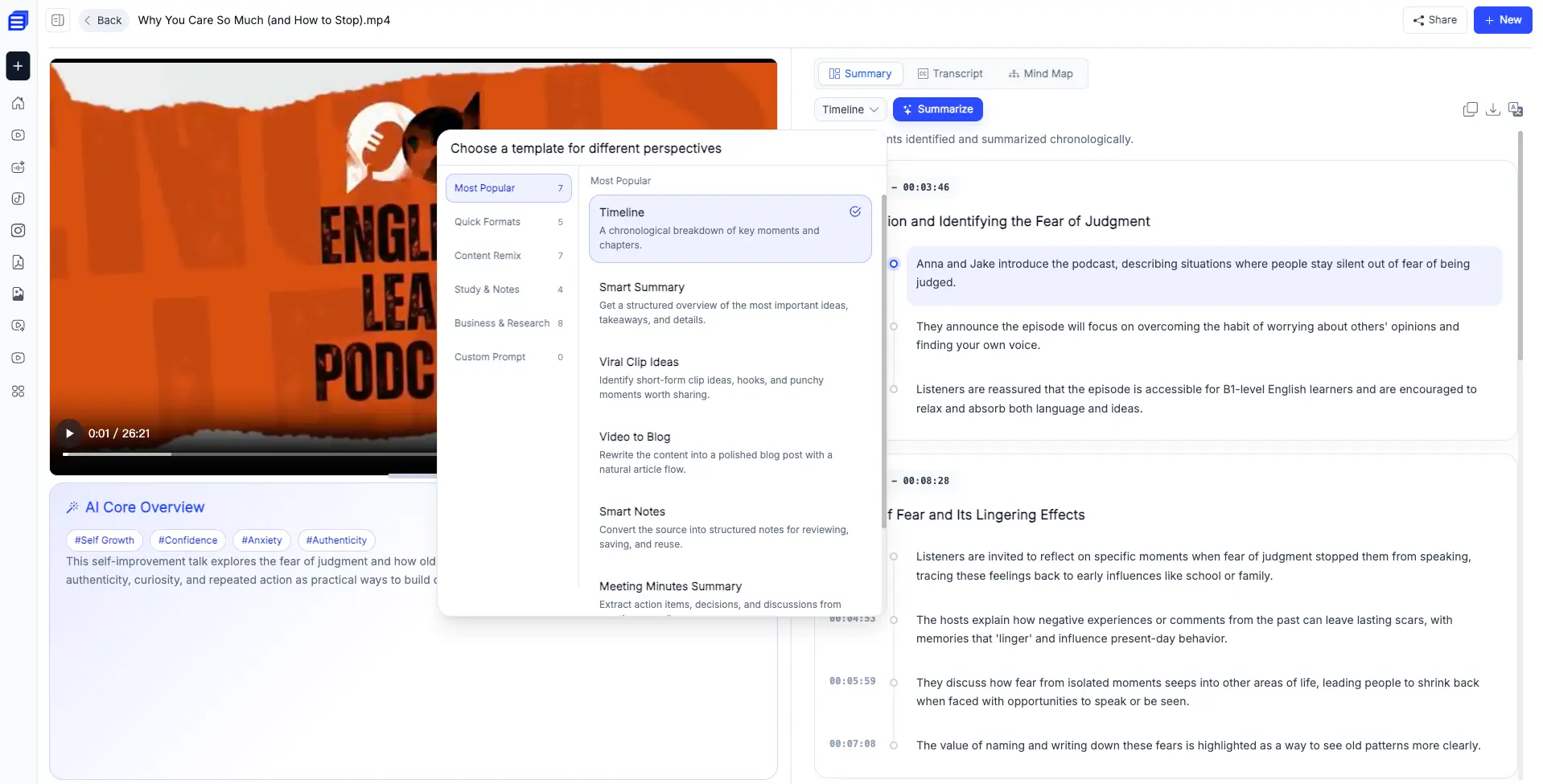
Popular content repurposing templates include:
- Viral Clip Ideas
- Video to Blog
- Smart Notes
- Video to Twitter Thread
- Video to Newsletter
- Video to LinkedIn Post
WayinVideo: One-Click Sharing for Video Highlights
WayinVideo focuses on extracting and editing video highlight clips, with support for one-click sharing to platforms such as TikTok.
For users who do not want to spend too much time editing videos, this feature is very convenient, allowing them to export and use clips with just one click.
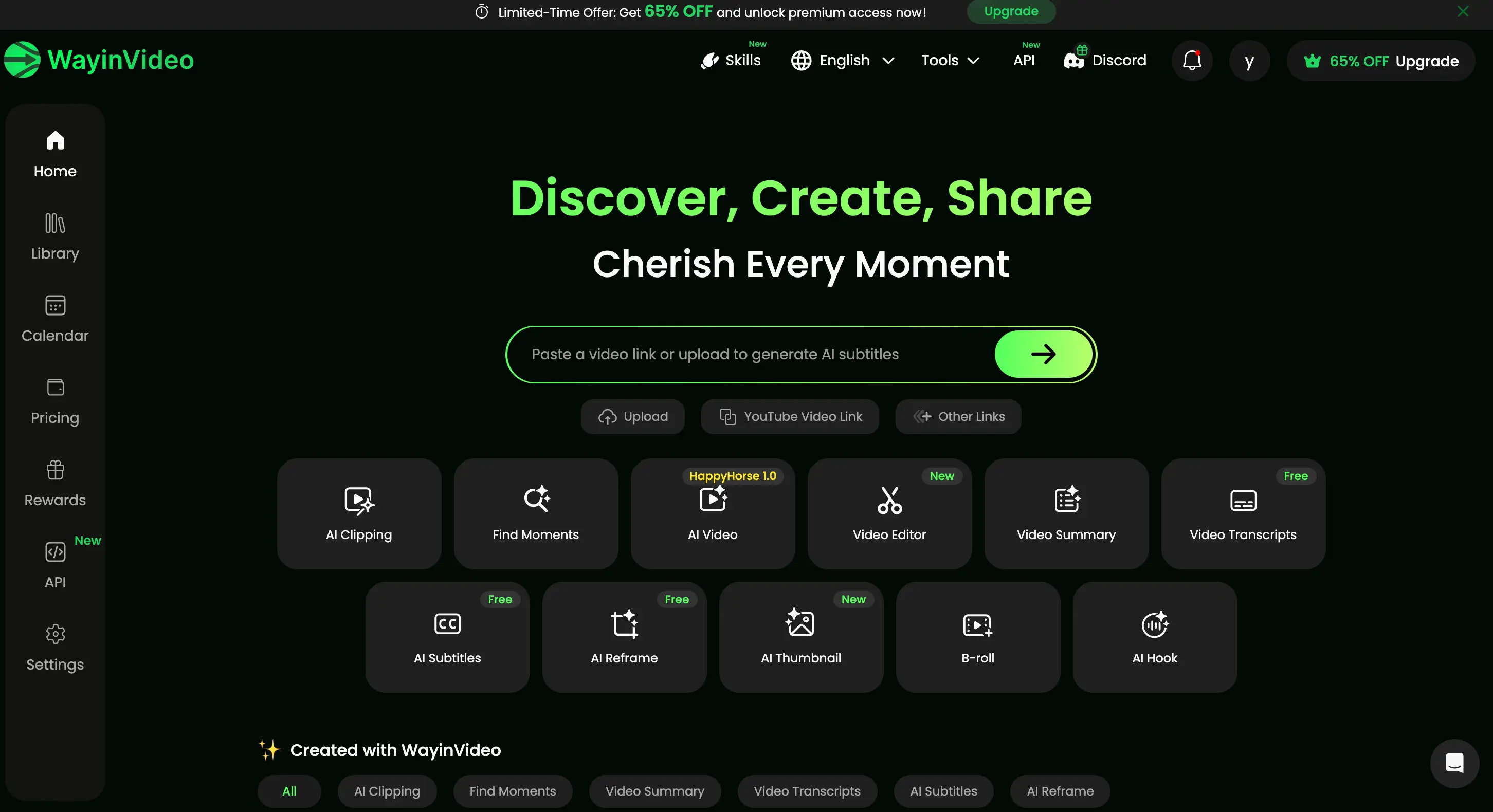
What you can do with WayinVideo:
- Extract video highlight clips that can be used for short-form platforms such as TikTok, YouTube Shorts, and Reels.
- Search and locate specific moments within a video using text-based input.
- Edit and manage video content in a unified workspace with built-in editing tools.
Takeaways:
AI Video Summarizer focuses on turning videos into structured text with multiple templates for content repurposing, ideal for blogs, notes, and social posts. WayinVideo focuses on extracting and editing video highlights, making it better suited for short-form video creation and sharing. The key difference is text-based repurposing vs video-based creation.
AI Video Summarizer vs WayinVideo: Content Output and Reusability
| Aspect | AI Video Summarizer | WayinVideo |
|---|---|---|
| Output type | PDF, TXT, Word (with or without timestamps) | Markdown, TXT |
| Reusability focus | Text-based repurposing across platforms | Visual content repurposing for social media |
| Output style | Structured text outputs (blogs, notes, summaries, news) | Short video clips |
| Workflow flexibility | Template-based content generation | Timeline-based video editing |
AI Video Summarizer: Multi-format, Reusable Outputs
AI Video Summarizer generates structured outputs that can be directly used across different workflows without additional formatting or conversion.
Users can export content in multiple formats, including:
- PDF for documentation and sharing
- TXT or Word for blog posts and written content
- Optional timestamps for precise reference
These outputs are already structured and ready to use, meaning no additional processing or tool conversion is required.
WayinVideo: Video-Based Output Only
WayinVideo mainly produces MP4 video clips with edits and subtitles embedded directly into the video.
Typical use cases include:
- Publishing short clips on TikTok, Instagram, or YouTube Shorts
- Using embedded subtitles to increase engagement
- Creating visually optimized social media content
However, since subtitles and content are embedded within video files, the output is not easily reusable in text-based workflows and cannot be exported as structured documents.
Takeaways:
AI Video Summarizer focuses on multi-format, structured outputs that can be reused across different content workflows, while WayinVideo focuses on video-only outputs optimized for social media distribution.
AI Video Summarizer vs WayinVideo: Pricing Strategy
| Aspect | AI Video Summarizer | WayinVideo |
|---|---|---|
| Pricing Model | Completely free | Monthly or Annual Subscription (Standard / Pro / Pro+ / Enterprise) |
| Starting Price | $0 | $4.99 monthly |
| Maximum file size | No file size restriction | Starting storage: 10 GB |
| Usage limits | No limits on usage | Credit-based usage with plan limits |
| Features access | All core features available | Features unlocked based on subscription tier |
AI Video Summarizer and WayinVideo have different product focuses, but when it comes to pricing, AI Video Summarizer clearly stands out as the more accessible option.
- Truly free access
AI Video Summarizer is completely free to use with full access to its core features. In contrast, WayinVideo only provides a limited free tier with 200 credits and restricted functionality, requiring users to upgrade for continued or advanced usage.
- No usage limitations
AI Video Summarizer offers unlimited video transcription and summarization with no monthly caps or restrictions. WayinVideo, however, applies usage limits based on subscription tiers, including credit systems and maximum file upload sizes.
- No file size limits
AI Video Summarizer does not impose any file size restrictions, allowing users to process videos freely without worrying about upload limits. In contrast, WayinVideo applies file size caps depending on the subscription plan, which may limit larger video uploads.
Takeaways:
AI Video Summarizer is ideal for users who want a free, unlimited experience without worrying about subscriptions or restrictions. WayinVideo, on the other hand, is better suited for professionals and teams who need structured workflows and are willing to pay for advanced capabilities.
AI Video Summarizer vs WayinVideo: Security and Privacy
| Aspect | AI Video Summarizer | WayinVideo |
|---|---|---|
| Account requirement | No account required | Account required |
| Data storage | No persistent data storage | Cloud-based storage |
| History tracking | No history saved | History storage time varies by plan |
| Collaboration data | Not collected | Manage up to 3 social media accounts, ideal for businesses |
AI Video Summarizer: Privacy-First, No Data Retention
AI Video Summarizer does not require user accounts and does not store personal data, uploaded files, or usage history. Each session is processed independently, and content is not persistently saved after processing.
This approach ensures:
- No login or account required
- No stored history or project data
- Minimal data exposure
- Session-based, temporary processing only
WayinVideo: Cloud-Based Storage and Account System
WayinVideo uses an account-based system where user data is stored in the cloud to support editing, storage, and collaboration features. Uploaded videos, generated clips, and project history are saved to enable ongoing workflows across devices.
This includes:
- Account-required access
- Cloud storage for videos and clips
- Saved project and editing history
- Support for collaborative workflows
Takeaways:
AI Video Summarizer follows a privacy-first, no-storage model, which greatly reduces the risk of data leakage, while WayinVideo relies on cloud-based data storage to enable persistent projects and collaboration.
AI Video Summarizer vs WayinVideo: Best Use Cases
AI Video Summarizer and WayinVideo are designed for different types of users, especially in terms of cost, workflow, and usage needs.
AI Video Summarizer: Best for Free, Text-Based Content Repurposing
AI Video Summarizer is best suited for users who want to quickly extract and repurpose information from videos into reusable text formats. It is completely free to use, requires no login, and has no usage or file size limits, making it highly accessible for all types of users.
Typical use cases include:
- Converting long YouTube videos into blog posts or SEO articles
- Turning webinars, lectures, or interviews into structured notes
- Generating summaries and ideas for content creation
- Repurposing video content into multiple text-based formats
- Processing videos instantly without account setup or restrictions
Since it supports structured outputs such as PDF, TXT, and Word, users can easily reuse the same video content across writing, publishing, and research workflows without additional formatting work.
WayinVideo: Best for Video-Based Editing and Social Media Distribution
WayinVideo is designed for users who focus on visual content creation and short-form video distribution. It requires account registration and operates on a subscription-based model, making it more suitable for structured and ongoing video production workflows.
Typical use cases include:
- Creating TikTok, Instagram Reels, and YouTube Shorts
- Extracting highlights from podcasts or interviews
- Editing and refining video clips for marketing content
- Producing engaging short-form videos for audience growth
- Managing and organizing video content in a cloud workspace
- Enterprise and team-based video content production workflows
- Marketing teams managing multi-channel social media distribution
Since its output is primarily MP4 video clips, it is optimized for direct publishing on social platforms rather than text-based reuse.
Conclusion
Choosing between AI Video Summarizer and WayinVideo is less about feature comparison and more about how you want to use video content after it is processed. Some workflows treat video as raw material for writing, research, and multi-platform content creation. Others treat it as a visual asset meant for fast editing and social media distribution.
If your goal is to turn a single video into multiple reusable formats such as blogs, notes, summaries, and social posts, then a text-first, fully free approach like AI Video Summarizer gives you more flexibility. It removes barriers like login, payment, and usage limits, making it easier to focus purely on content repurposing.
If your priority is creating short-form video clips for platforms like TikTok, Reels, or YouTube Shorts, then WayinVideo's editing-focused workflow is more aligned with that need, especially for users or teams working on ongoing video production.
Ultimately, the difference is simple: one is designed to maximize content reuse across formats, while the other is built to speed up visual content creation and distribution. If you are building a workflow where video is not just something you watch, but something you continuously transform into new content, AI Video Summarizer is the easier starting point.